
Security Review
Overview
Once you've completed development and thoroughly tested your Miniapp, it's time to prepare it for the security review, once you pass the security review, you can go live! The first step in this process is obtaining a UAT/test permanent QR code that will be used for the security test.
Important Security Considerations
The Security Team conducts a thorough review of your Miniapp according to standardized security frameworks. In average cases, the security team will report back to the Miniapps development team multiple security issues that need to be patched.
Prerequisites
Before proceeding, ensure you have:
- Completed development of your Miniapp
- Tested all features thoroughly
- Hosted your frontend application
- Hosted your backend application
- Updated the frontend URL in the Super Qi Console
Step-by-Step Guide
Step 1: Navigate to Your Miniapp
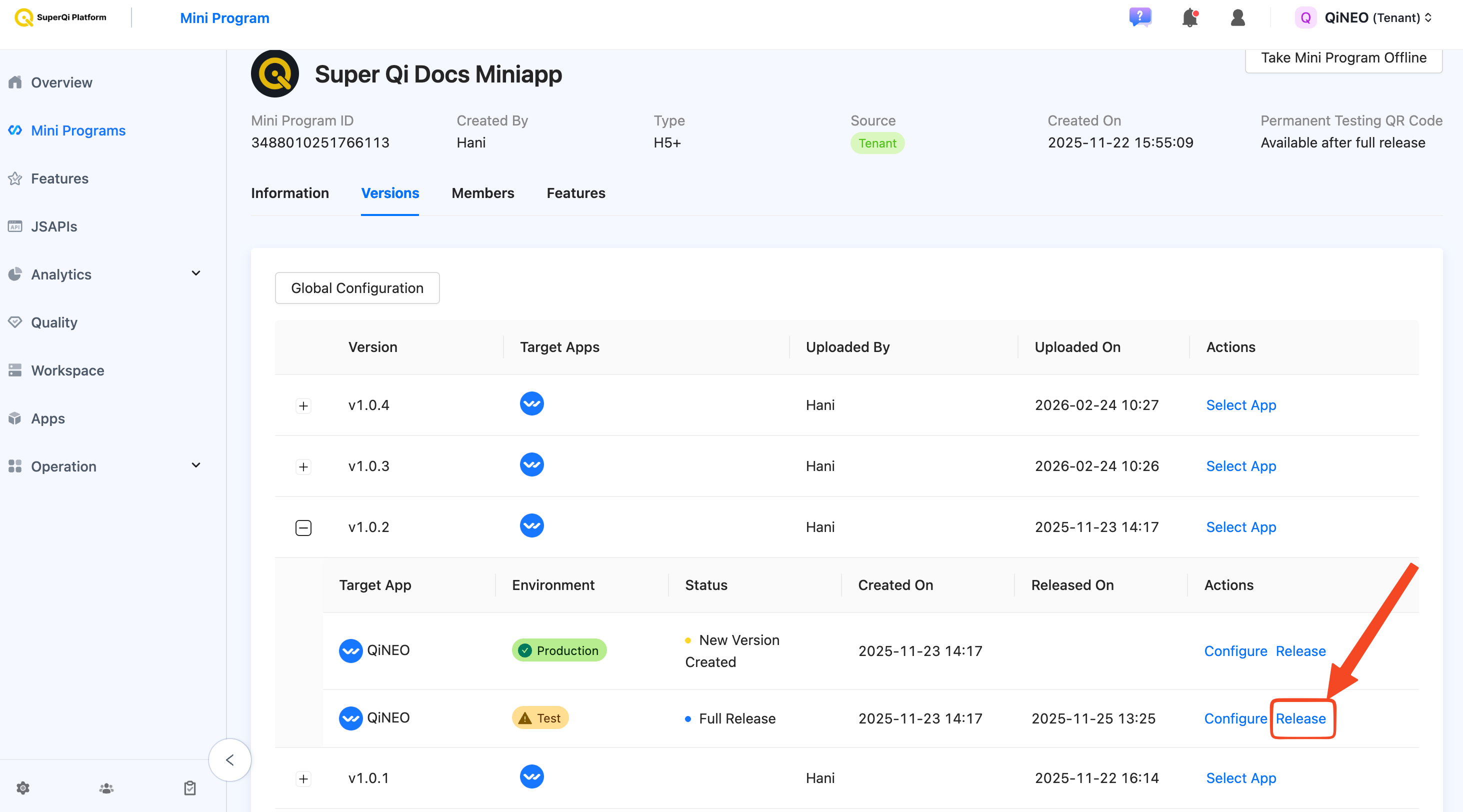
Log in to the Super Qi Console and navigate to your Miniapp. Select the UAT/test version that you want to release to production.
Step 2: Apply for Release
Click on the "Apply Release" button.
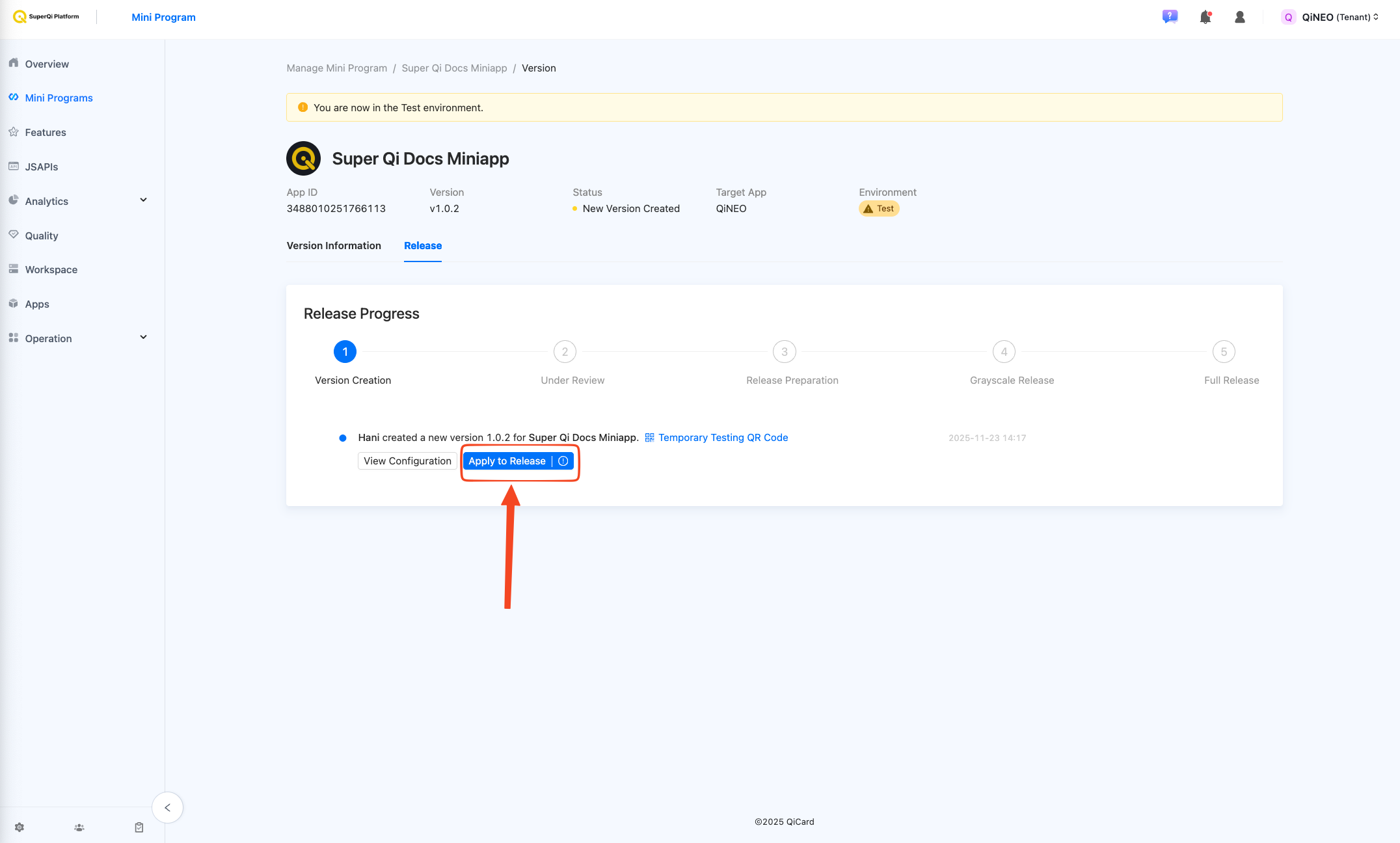
This will initiate the process of generating a permanent QR code for your Miniapp.
Step 3: Confirm Release Application
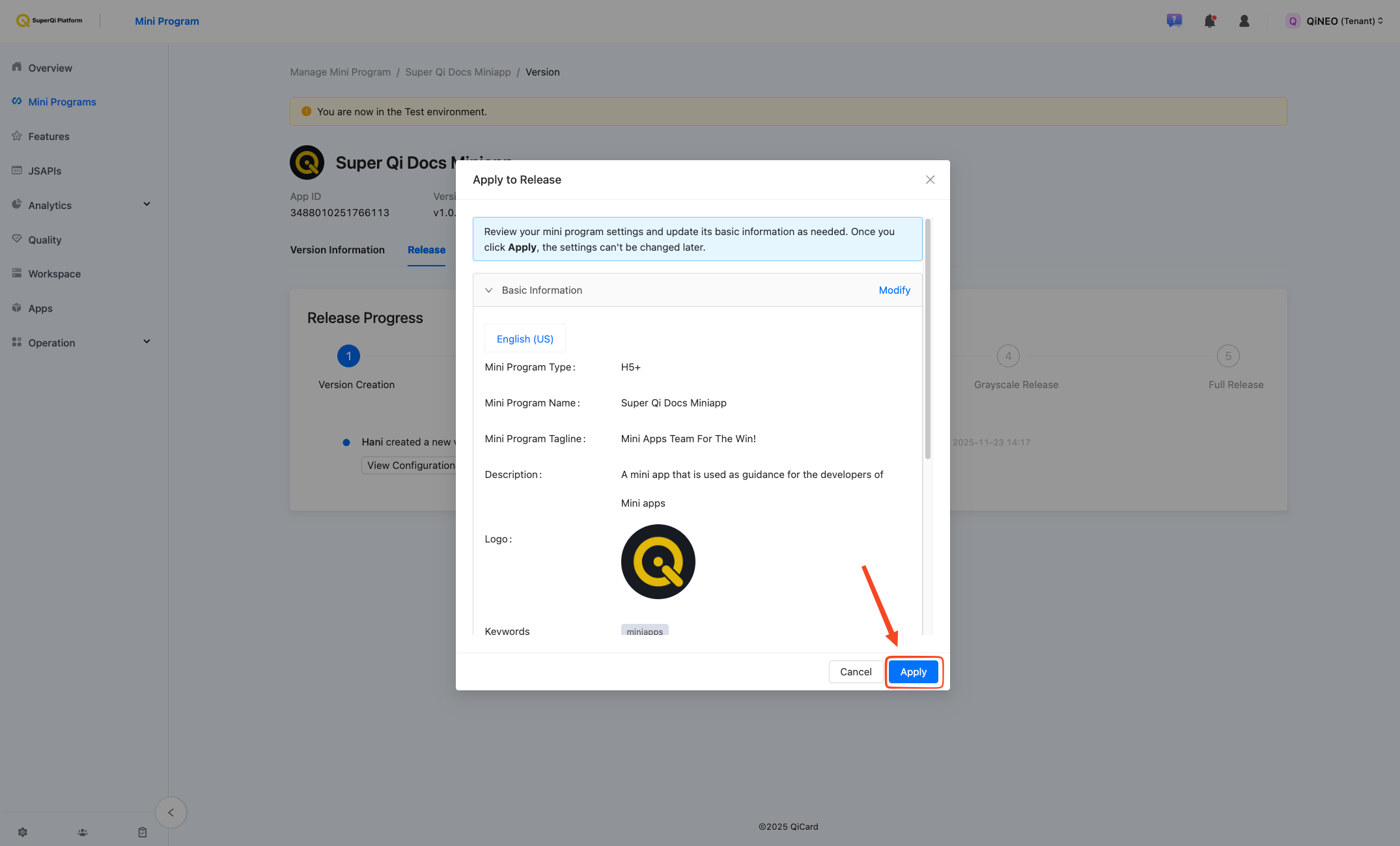
A confirmation popup will appear. Review the details and click "Apply" to confirm.
Step 4: Refresh and View QR Code
After clicking "Apply", wait a few moments and then refresh the page. You should now see your permanent QR code displayed.
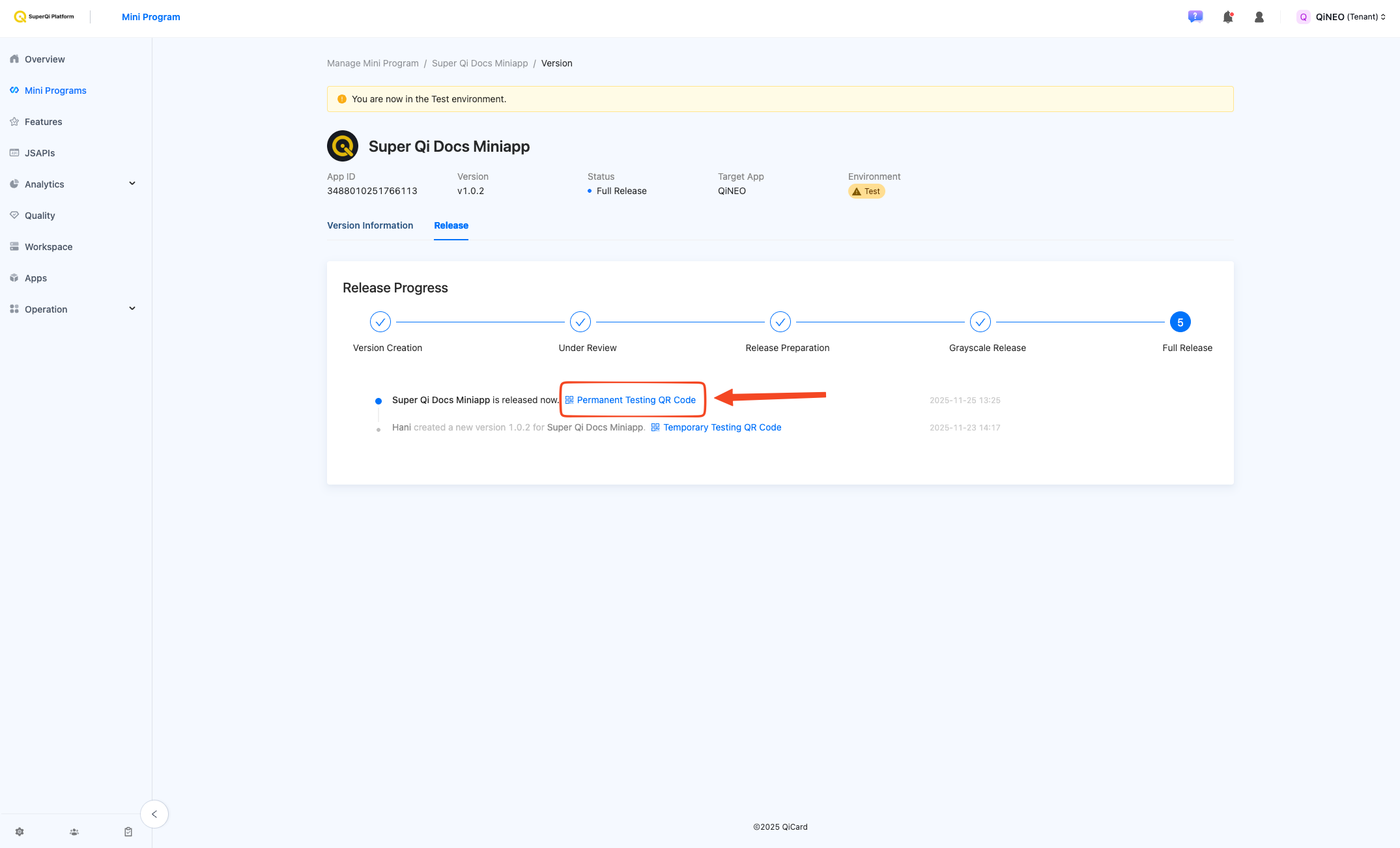
This QR code is unique to your Miniapp and will be used for the security review.
Submitting for Security Review
Once you have obtained the permanent QR code, follow these steps:
1. Contact Miniapp Team
Send an email to ali.rabeaa@qi.iq and CC mouamle.hameed@qi.iq & hani.salih@qi.iq with the following information:
- The permanent QR code
- Miniapp name
- The purpose of the Miniapp and how it operates
- API Documentation (Swagger/Postman)
- Test user in your dashboard (the one that generally manages, adminstrates... etc) credentials for all roles in the MiniApp (e.g., User, Admin)
Example email:
To: ali.rabeaa@qi.iq
CC: mouamle.hameed@qi.iq & hani.salih@qi.iq
Subject: Miniapp Security Review Request - [Your Miniapp Name]

Hello team,

Our Miniapp "Example App" (v1.0.0) is ready for production release and security review.

Attached is the permanent QR code.

Miniapp Name: Example App

Miniapp Purpose:
This Miniapp is an e-commerce platform that allows users to browse products, add items to cart, and make payments using QiCard. Users can view their order history and track deliveries.

How it operates:
- Users authenticate using my.getAuthCode and applyToken
- Product browsing and cart management
- Payment processing via cashier payment flow (my.tradePay)
- Order tracking and history

API Documentation:
- Swagger: https://api.example.com/swagger
- Postman Collection: https://api.example.com/postman-collection.json
- Manual API description: Our backend exposes REST APIs for product management (GET /api/products, POST /api/orders), user authentication (POST /api/auth/login), and payment processing (POST /api/payments). All endpoints require Bearer token authentication. Request/response formats follow JSON standards.

Test User Credentials:
We will provide a dedicated test account in our dashboard for your security testing with the following roles:
- Admin Role (full access to dashboard and administrative functions)
- Regular User Role (standard customer access)
Username: securityTestUser
Password: abc123

Please proceed with the security review.

Thank you!
2. Wait for Security Team Review
After you submit the email:
- The Miniapp team and the Security Team will review your submission
- The security team will perform a thorough review of your Miniapp
- They will test functionality, security, and compliance
Next Steps
After receiving security approval, proceed to Merchant Registration to complete the production release process.