
Frontend
Overview
The Demo Miniapp frontend is written in Vanilla JavaScript - no frameworks, no libraries, just pure JavaScript. This keeps the codebase simple and easy to understand, making it a great reference for learning how to integrate with Super Qi APIs.
Project Structure
The frontend code is organized into the following structure:
frontend/
├── common/           # Shared utilities and helpers
│   ├── main.js       # Main configuration (BASE_URL, etc.)
│   ├── console.js    # Terminal/console output utilities
│   └── ...           # Other shared utilities
├── category files    # Navigation and grouping pages
└── feature files     # Individual API/feature implementations
Common Folder
The common folder contains shared utilities and helper functions that are used across all pages:
| File | Description |
|---|---|
| main.js | Contains the main configuration including BASE_URL for API requests |
| console.js | Provides terminal/console output functionality for displaying API responses |
These common files ensure consistency across the application and reduce code duplication.
BASE_URL inside main.js. This is the URL where the frontend connects to the backend. See Testing Locally for instructions on setting this up.File Types
Outside the common folder, there are two types of files:
Category Files
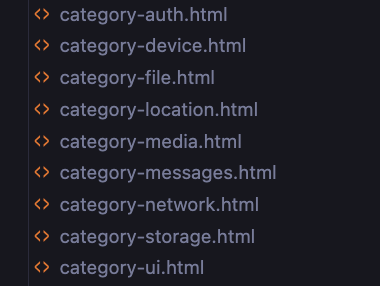
Category files serve as navigation pages that group related features together. They help organize the Demo Miniapp into logical sections.
The Demo Miniapp includes the following categories:
- auth - Authentication and authorization features
- device - Device information and capabilities
- network - Network-related functionality
- file - File system operations
- location - Location and geolocation services
- media - Media handling (audio, video, images)
- messages - Messaging and communication features
- storage - Data storage and persistence
- UI - User interface components and interactions
Feature Files
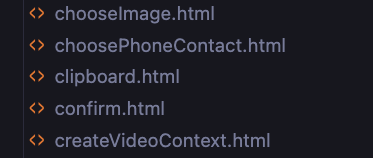
Feature files are dedicated to specific Super Qi APIs or functionalities. Each file demonstrates a particular feature with:
- A user interface for triggering the API
- A terminal/console that displays the results
- Example code showing how to integrate with Super Qi
This structure allows you to explore each Super Qi feature independently and see exactly how it works in practice.
Code Structure
The frontend follows a linear structure where all files are organized in the same directory. This simple, flat organization is intentional - since this is a demo application built with vanilla JavaScript, there's no need for complex hierarchies or nested folder structures.
Each feature file is self-contained and can be understood independently, making it easy to:
- Find specific examples quickly
- Copy code snippets for your own projects
- Understand how individual APIs work without navigating through multiple directories
This straightforward approach keeps the focus on learning Super Qi's capabilities rather than dealing with complicated project organization.