
Create Miniapp
Overview
Now that you have your development environment set up, it's time to create your first Miniapp on the Super Qi Console. This guide will walk you through the process of creating a new Miniapp project.
Prerequisites
Before creating a Miniapp, ensure you have:
- A Super Qi Console account (see Super Qi Platforms)
- An approved workspace from the Miniapps team
Creating Your Miniapp
Follow these steps to create your first Miniapp:
Step 1: Navigate to Super Qi Console
Visit the Super Qi Console and log in to your account:
Step 2: Create New Miniapp
Once your workspace has been approved, you can create a new Miniapp. Click on the Create button to start the creation process.
Fill in the required information for your Miniapp:
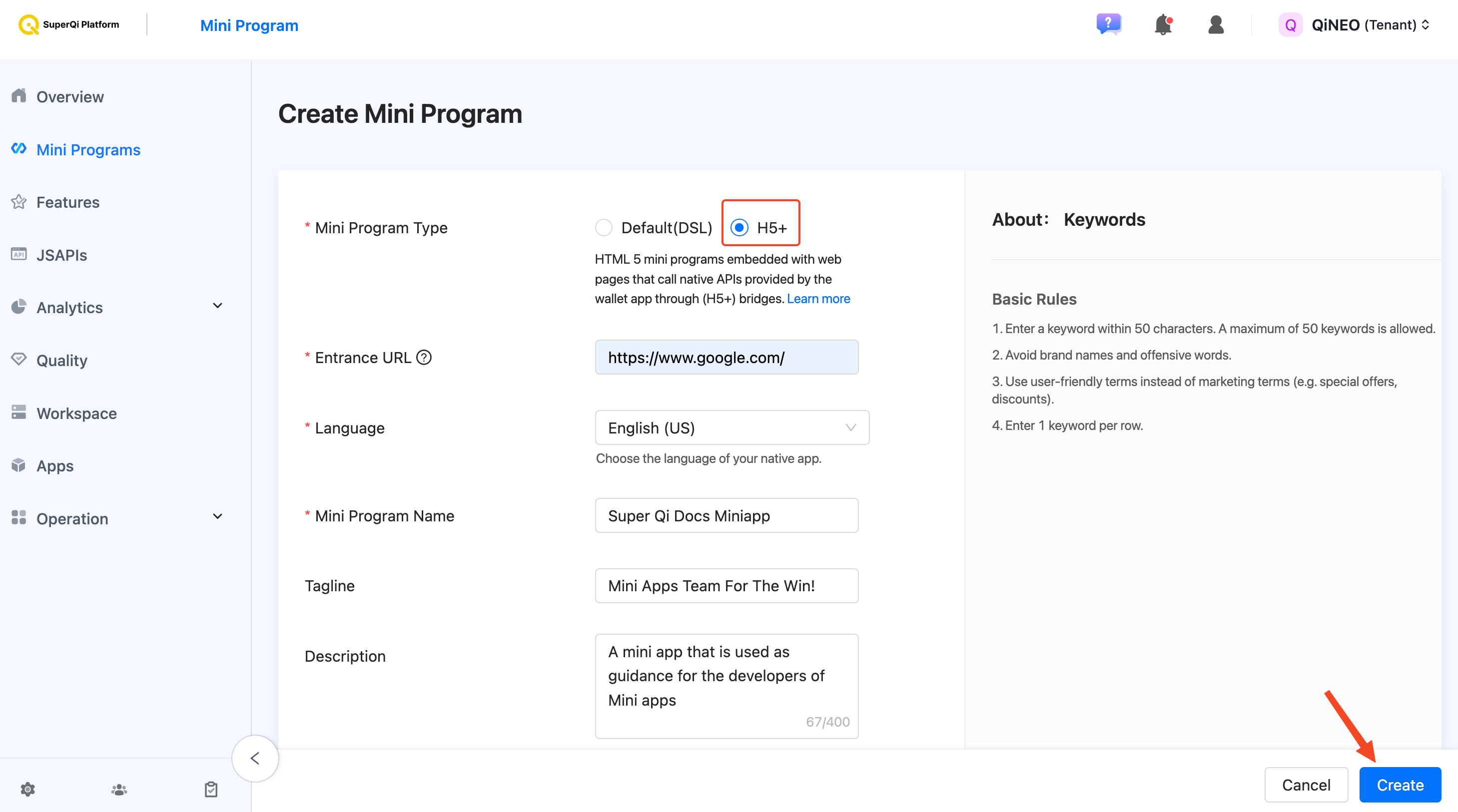
After filling in all the required fields, click the Create button to create your Miniapp.
Step 3: Choose the Correct Tag
After creating your miniapp, edit the information to select the appropriate tag for your Miniapp based on your target audience:
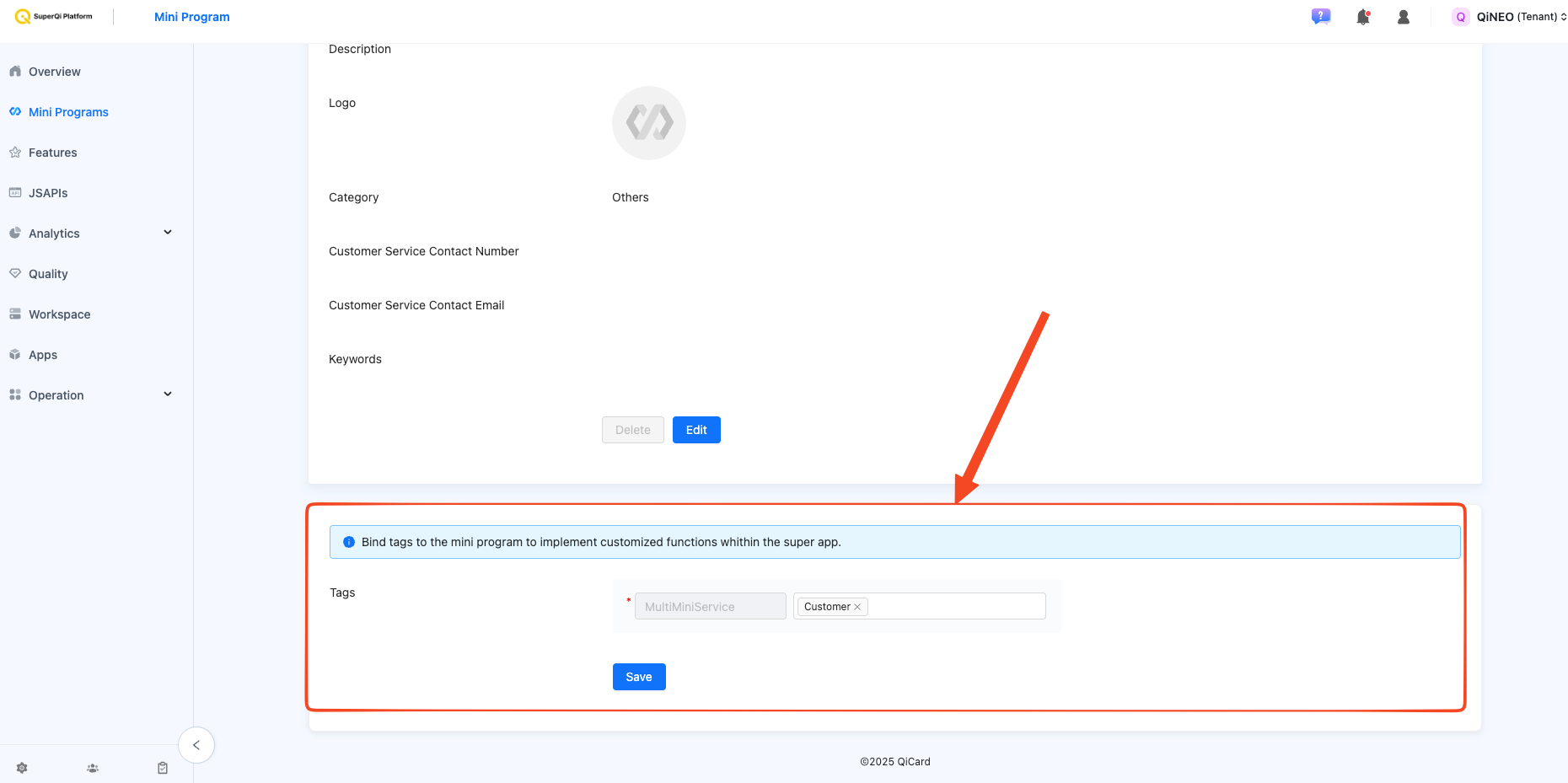
There are two types of tags available:
- Customer Tag (Mini Service A): Select this if your Miniapp is targeting customers
- Business Tag (Mini Service B): Select this if your Miniapp is targeting businesses
Step 4: View Your Miniapp
Once completed, you will be redirected to your Miniapp's dashboard. Navigate to your Miniapp that you just created, Here you can view and manage your Miniapp settings.
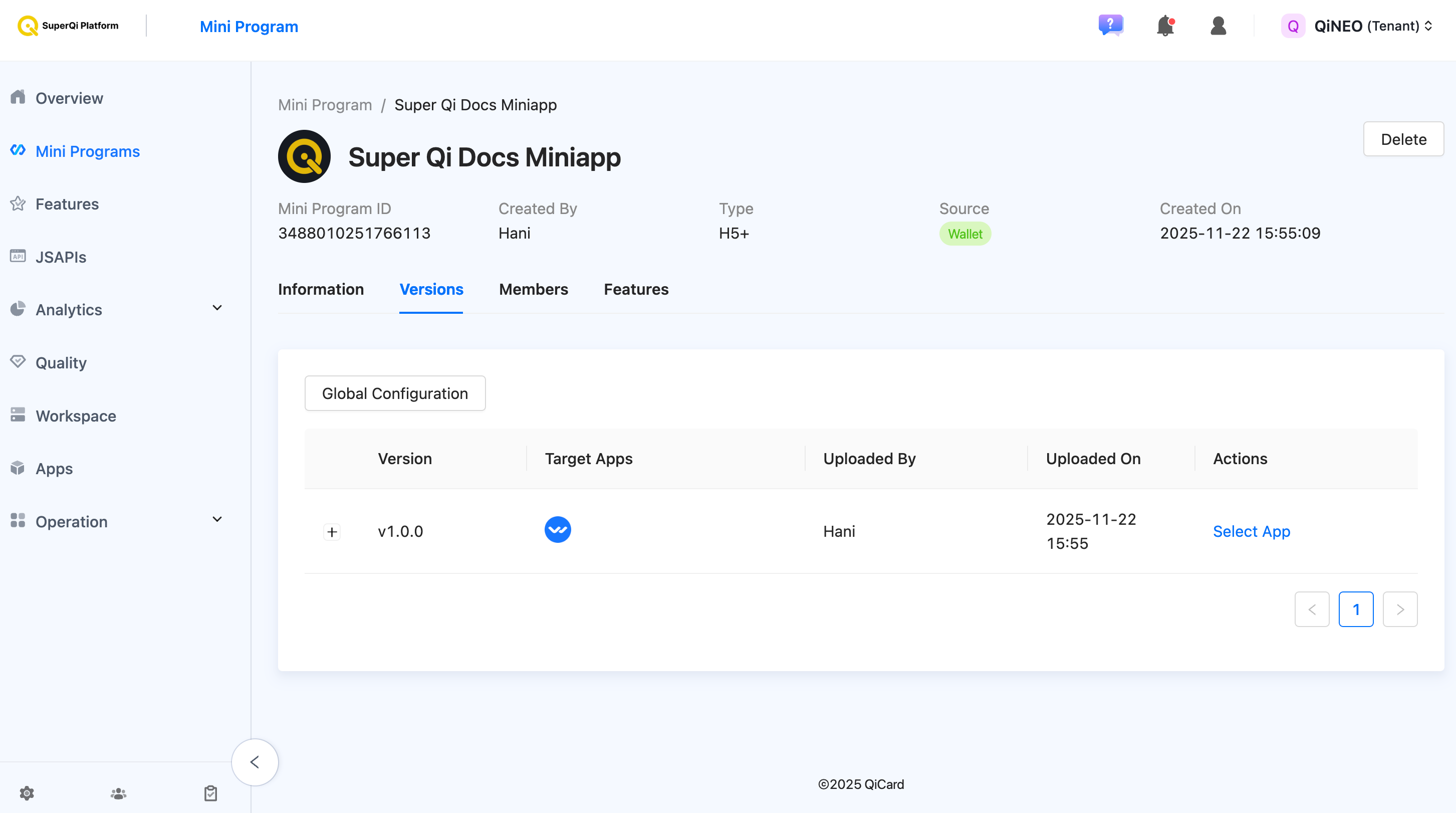
Congratulations!
You have successfully created your first Miniapp! Follow along with the documentation to learn more about configuring and developing your Miniapp.
Ready to continue? The next sections will guide you through understanding Miniapps and configuring your development environment.