
Installation Steps
Overview
This section of the documentation covers installing, running, and exploring the Demo Miniapp code. It is recommended to follow these steps to understand:
- How testing locally works
- How the Super Qi APIs function in code
By the completing the "Demo Miniapp" section, you will have a fully functional Demo Miniapp running locally and a solid understanding of how to integrate with Super Qi.
Prerequisites
Before you begin, ensure you have the following installed:
- Git - for cloning the repository
- Node.js (v18 or higher recommended)
- npm or yarn - for package management
- Go (v1.21 or higher recommended) - for the backend
Git
Check if Git is installed:
git --version
If you see an error or "command not found", install Git:
- macOS: Install via Homebrew
brew install git - Windows: Download from git-scm.com
- Linux (Ubuntu/Debian):
sudo apt update && sudo apt install git
Node.js and npm
Check if Node.js and npm are installed:
node --version
npm --version
If you see an error or "command not found", install Node.js (npm is included):
- macOS/Linux: We recommend using nvm (Node Version Manager)
# Install nvm curl -o- https://raw.githubusercontent.com/nvm-sh/nvm/v0.39.0/install.sh | bash # Restart terminal, then install Node.js nvm install 18 nvm use 18 - Windows: Download from nodejs.org (LTS version recommended)
Yarn (Optional)
Check if Yarn is installed:
yarn --version
If you prefer using Yarn instead of npm and it's not installed:
npm install -g yarn
Go
Check if Go is installed:
go version
If you see an error or "command not found", install Go:
- macOS: Install via Homebrew
brew install go - Windows: Download from go.dev/dl
- Linux (Ubuntu/Debian):
sudo apt update && sudo apt install golang-go
Installation Guide
Follow these steps to install the Demo Miniapp locally:
Step 1: Clone the Repository
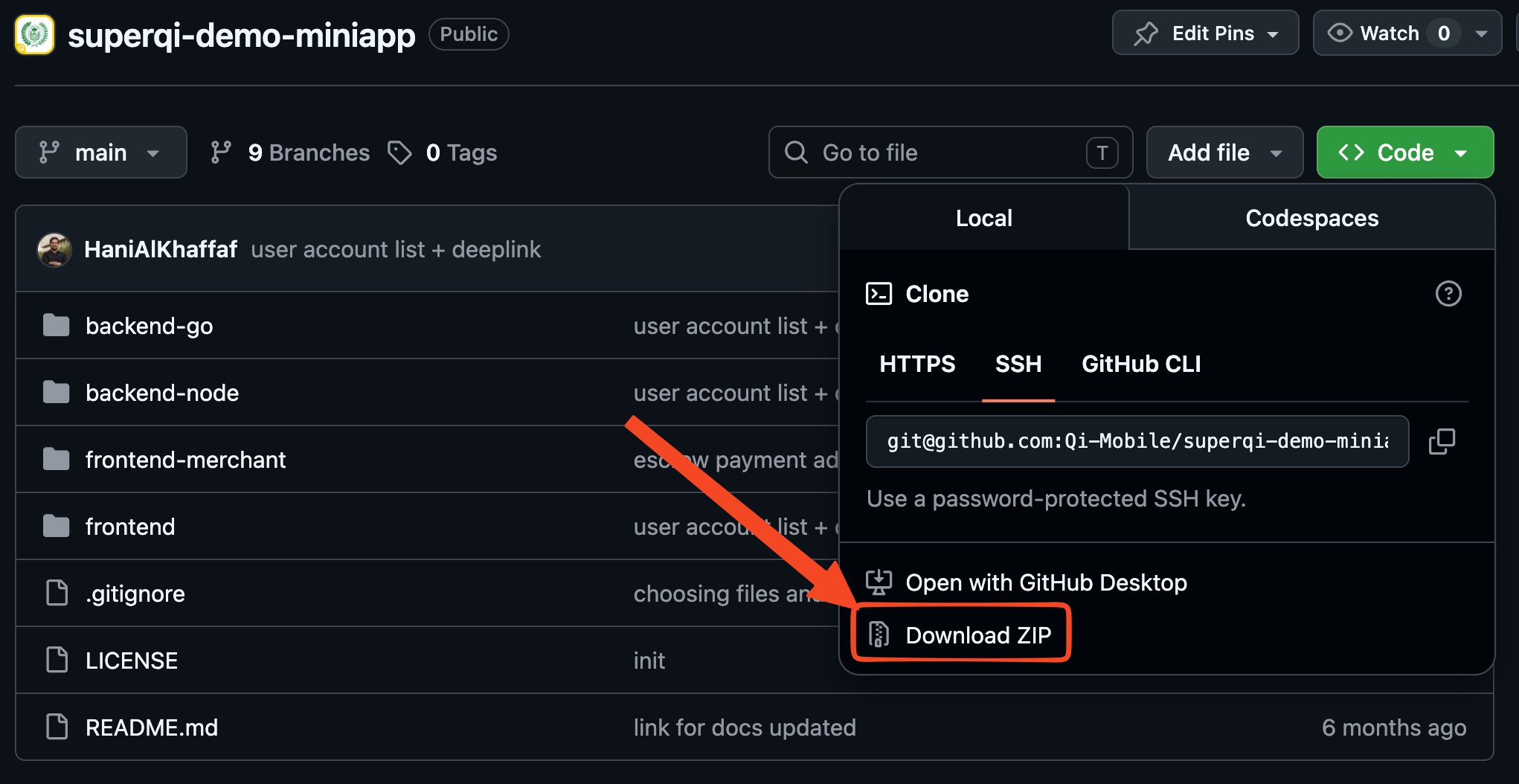
Open your terminal, move to the folder where you want the project to live, and clone the Demo Miniapp:
# Using HTTPS
git clone https://github.com/Qi-Mobile/superqi-demo-miniapp.git

# Or, using SSH
git clone git@github.com:Qi-Mobile/superqi-demo-miniapp.git
Step 2: Navigate to the Project
Once the cloning is complete, navigate into the project directory:
cd superqi-demo-miniapp
Step 3: Install Dependencies
Open two separate terminal windows to install dependencies for both the frontend and backend.
Terminal 1: Frontend
Navigate to the frontend directory and install npm packages:
cd superqi-demo-miniapp/frontend
npm install
Terminal 2: Backend
Navigate to the backend directory and install its dependencies. The demo ships two interchangeable backends — pick Go or Node.js:
cd superqi-demo-miniapp/backend-go
go mod tidy
go mod download
cd superqi-demo-miniapp/backend-node
npm install
Installation Complete
You have successfully installed the Demo Miniapp and all its dependencies. Everything is now ready, and you can proceed to testing the Miniapp locally.
Ready to continue? The next section will guide you through running and testing your Demo Miniapp.