
Release Production Miniapp
Overview
You're almost there! By now, you should have received your unique production credentials from the Miniapps team. This final step involves creating a new version of your Miniapp with production credentials and applying for the official release.
Prerequisites
By this point, you should have received your production credentials from the Miniapps team. These include your Client ID, Merchant ID, and the Gateway URL. Your production frontend and backend should already be deployed and tested, and you'll need access to Super Qi Console to proceed.
Step-by-Step Guide
Step 1: Create New Version with Production Credentials
Log in to Super Qi Console and navigate to your Miniapp. You need to create a new version with your production credentials.
The process for creating a new version is almost the same as creating your testing version, except at the end, dont create UAT version, stay with the prod version. For detailed instructions, refer to:
When creating this new version, make sure to use your Production Client ID and Production Merchant ID - not your testing credentials. You'll also need to configure your deployed production frontend URL in this version.
Step 2: Verify Your Configuration
Before applying for release, take a moment to verify that all your credentials are correctly entered. Make sure your production frontend URL is configured properly, and double-check that your backend is using the production credentials in its .env file.
Step 3: Apply to Release
Once you've created the new version with production credentials and verified everything works, navigate to the latest version (the one with production credentials) and click on "Apply to Release".
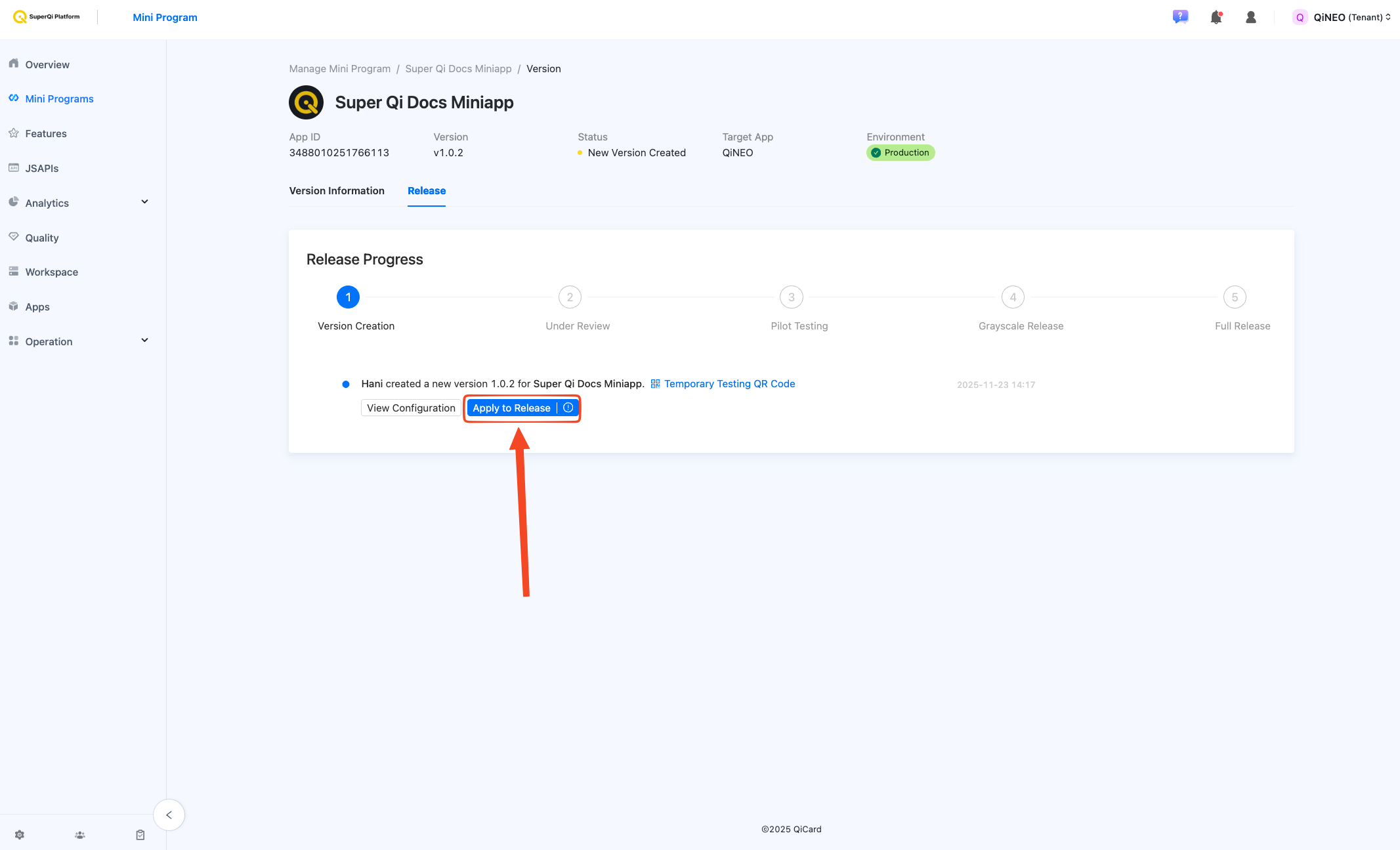
A confirmation dialog will appear. Review the details carefully and confirm the release application.
Step 4: Wait for Miniapps Team Approval
After you apply for release, your application will be sent to the Miniapps team for final review. The team will verify your production setup to ensure everything meets the required standards. Once approved, You will be notified to proceed to the next step.
Step 5: Pilot Testing
Once approved, you'll move on to the Pilot Testing stage. Click on the "Add Testers" button to begin.
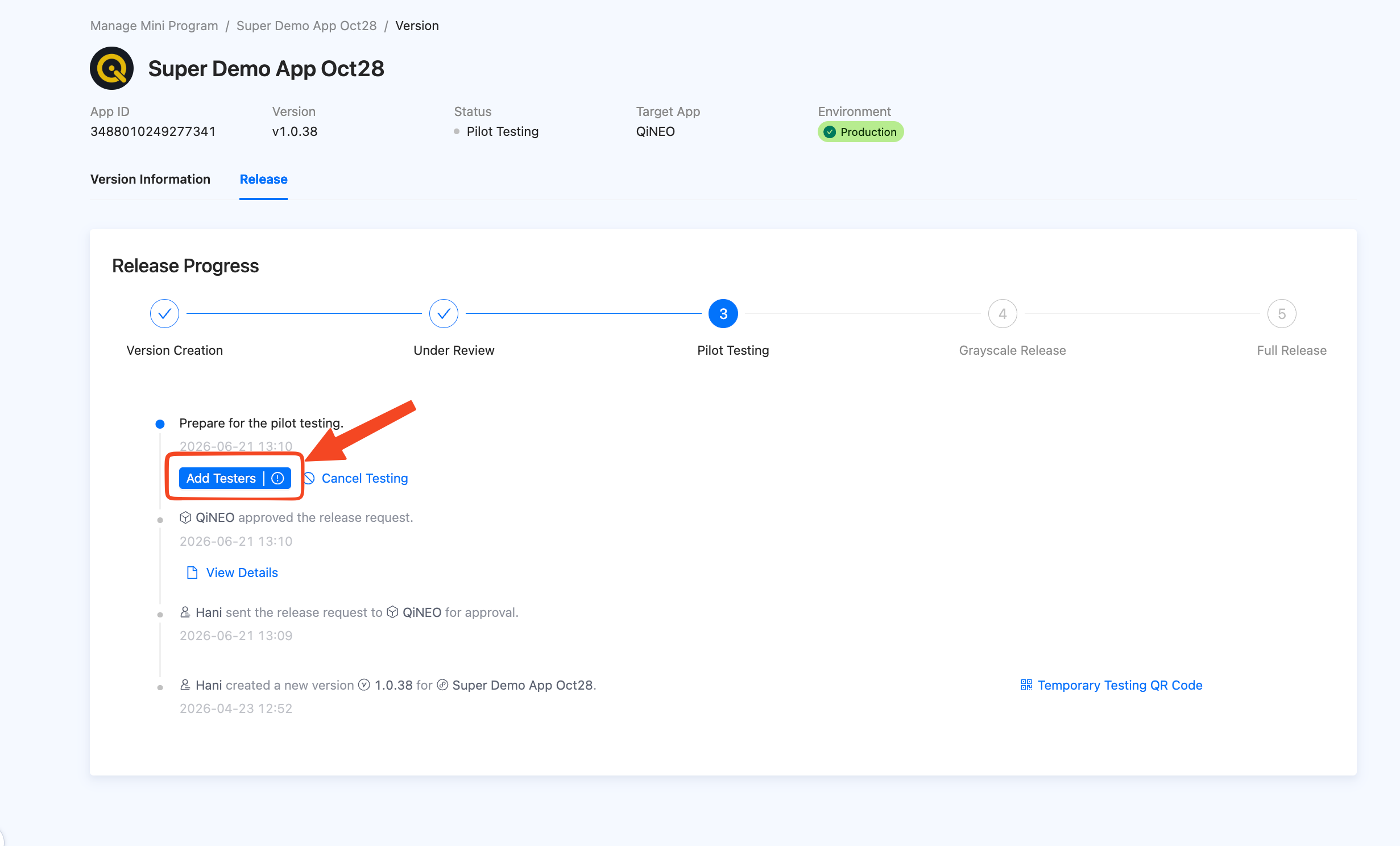
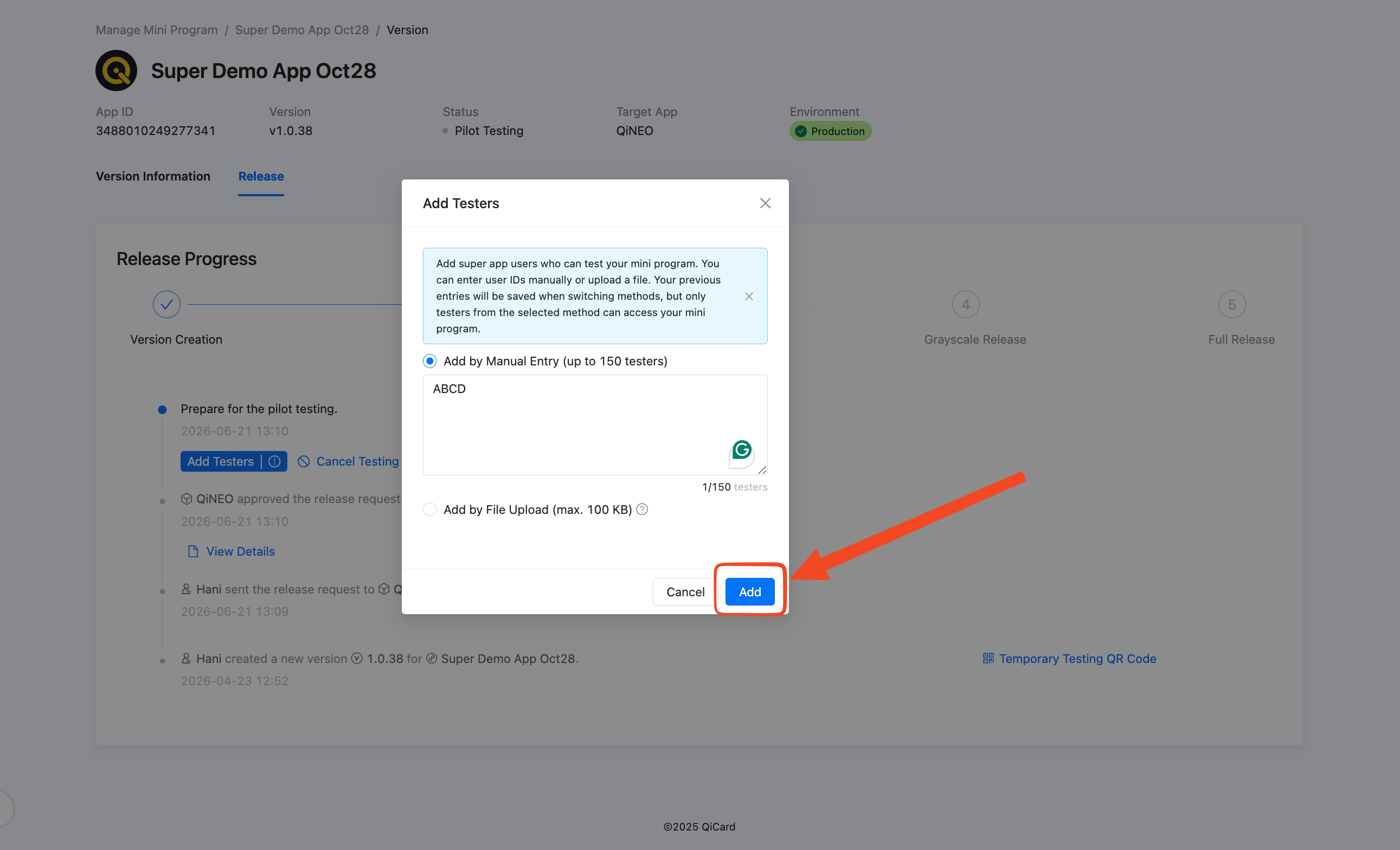
Add anything in the input and click on Add. Note that you don't actually have to add real testers - we just need the input to not be empty so it can be submitted.
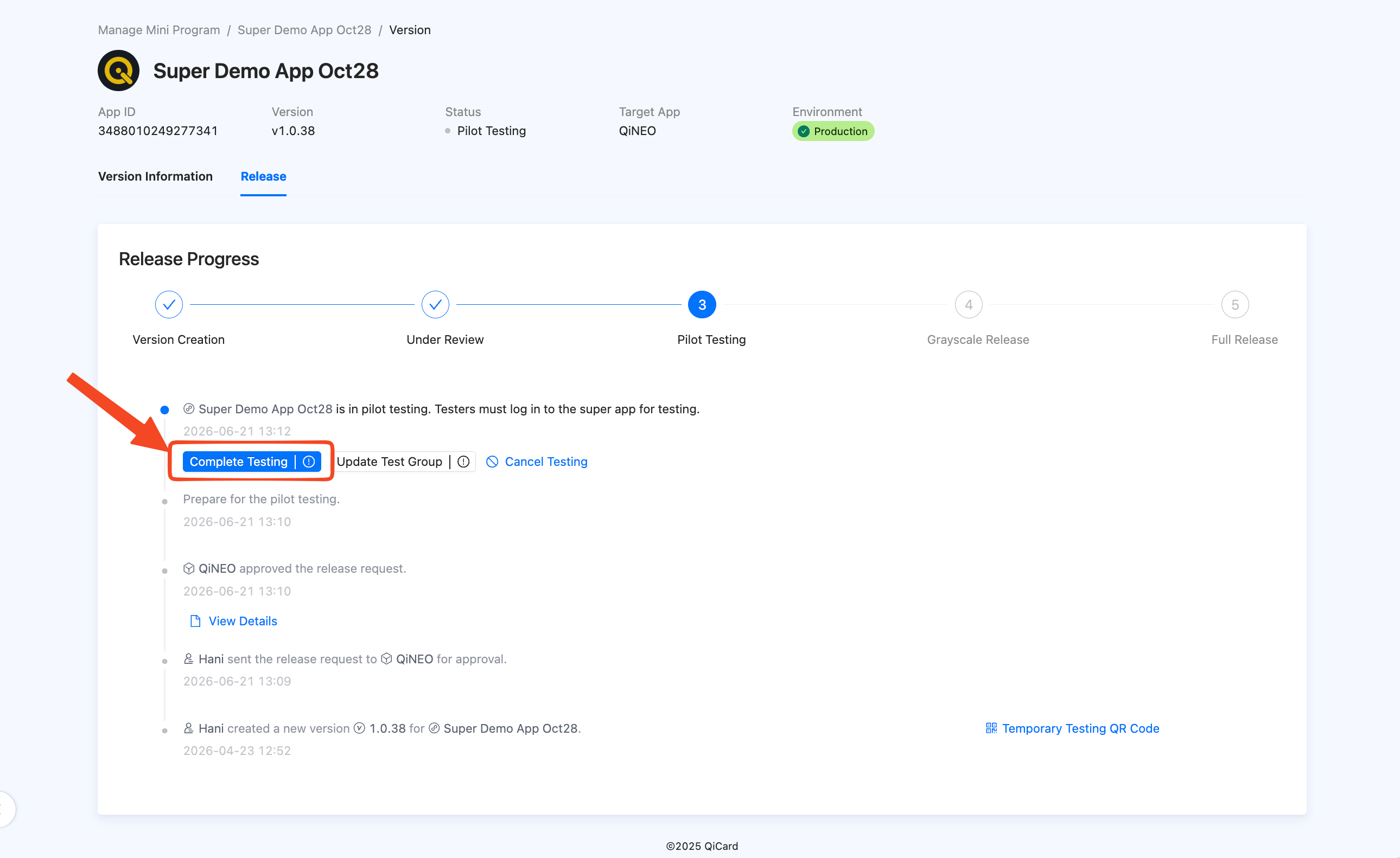
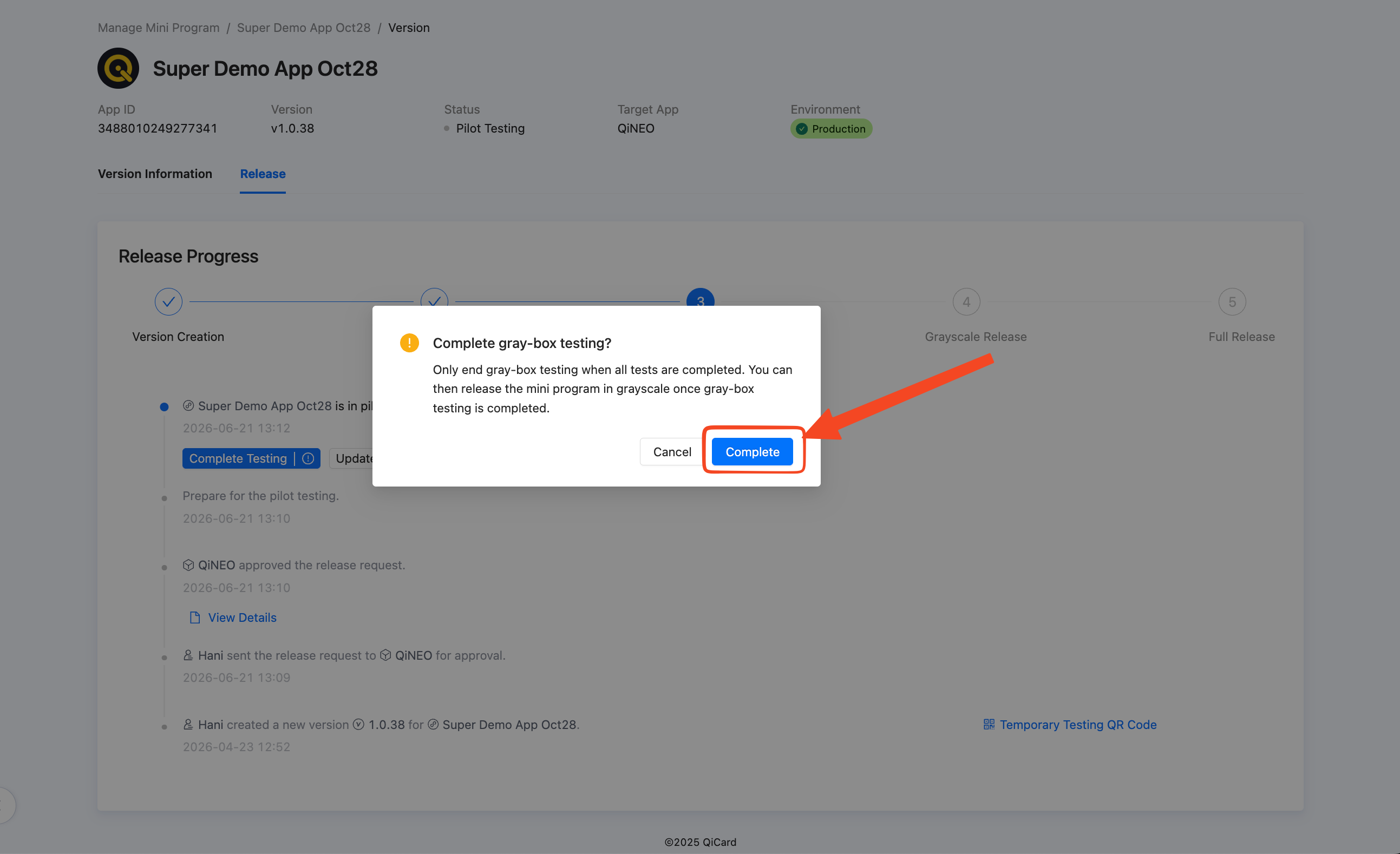
Next, click on the "Complete Testing" button to proceed.
Then click on the "Complete" button for confirmation.
Step 6: Grayscale Release
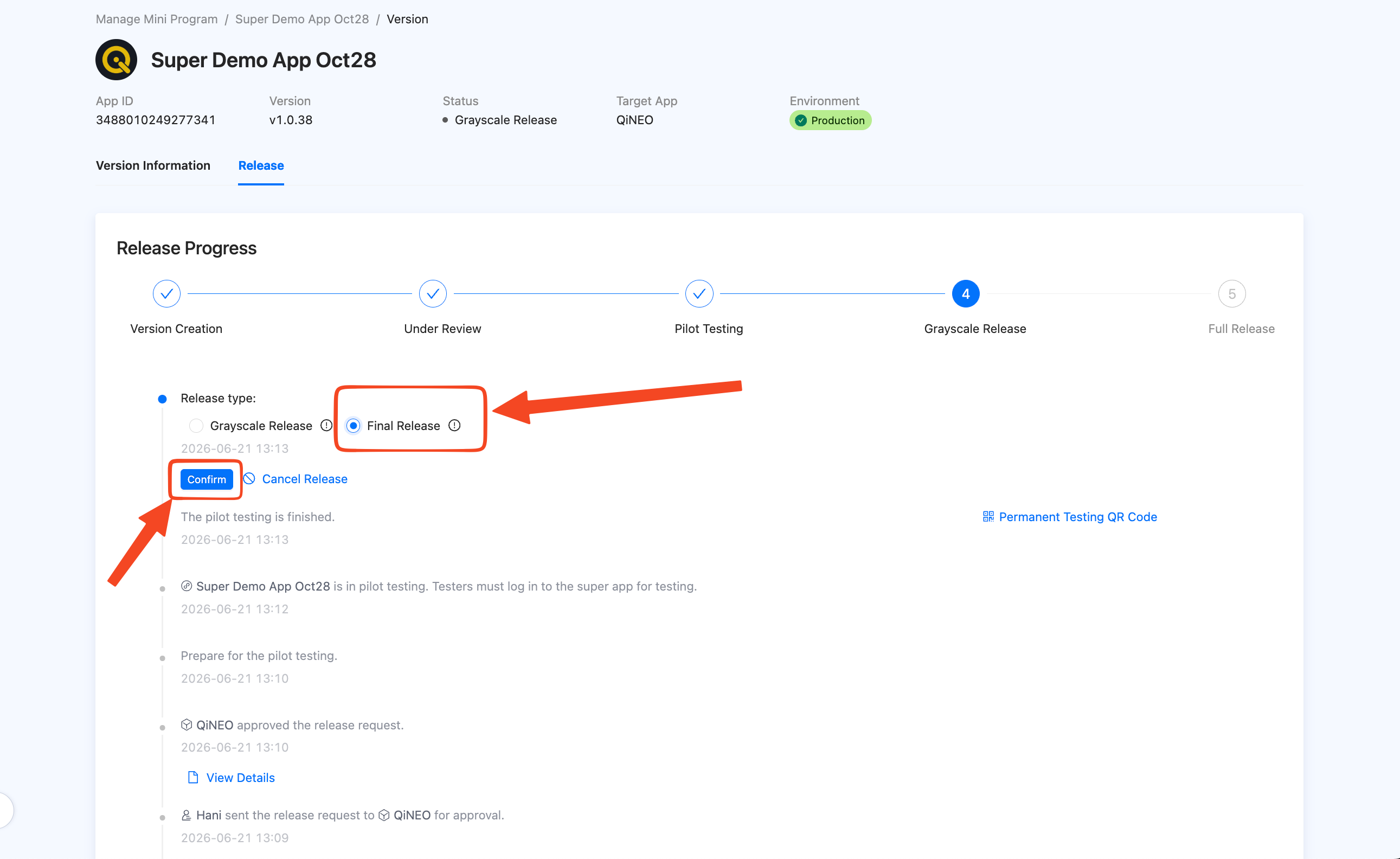
In the Grayscale Release stage, select "Final Release" and then click on "Confirm" so that the Miniapp can go live.
Step 7: Miniapp Released
Congratulations - your Miniapp is now going live!
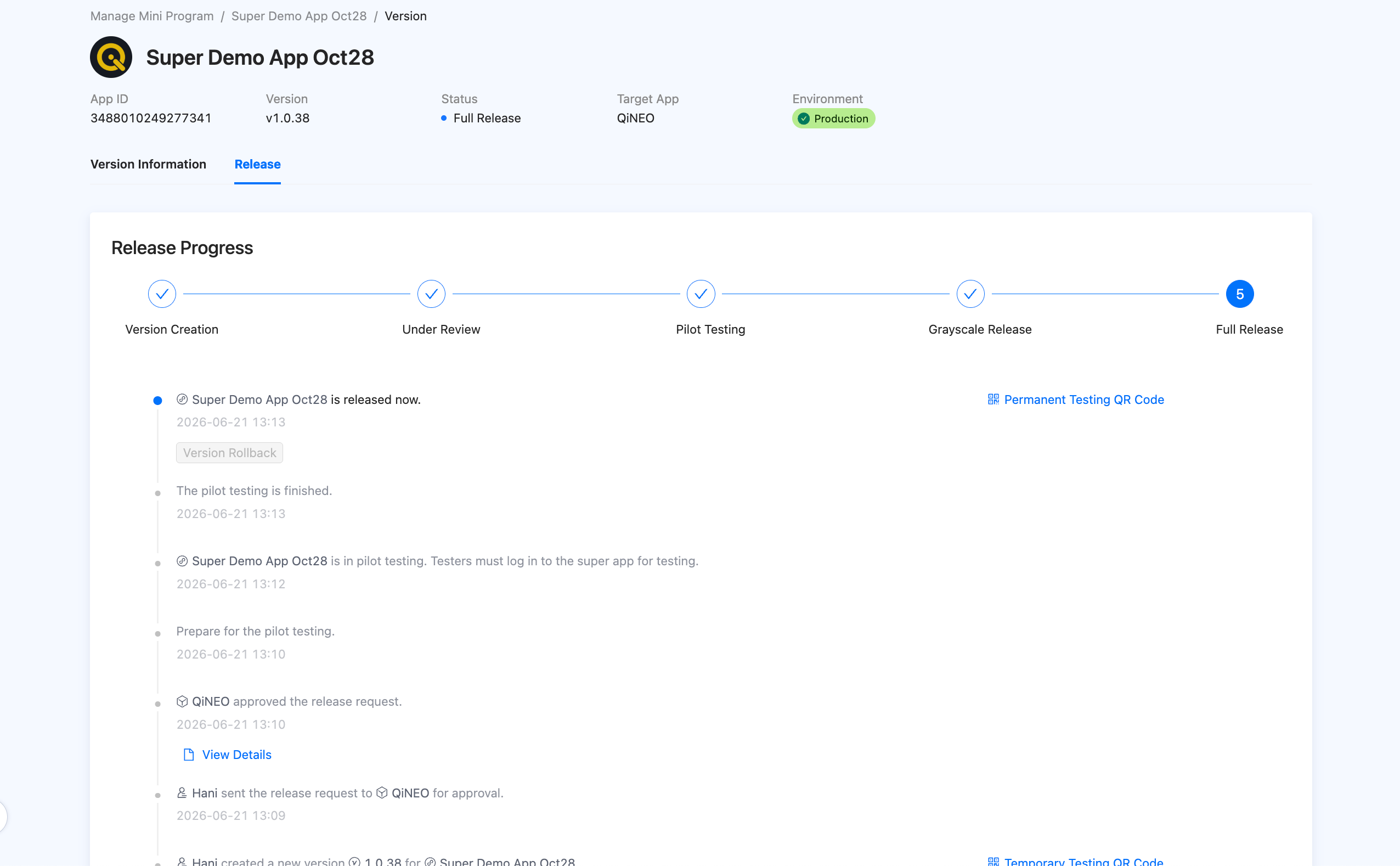
Now wait 30 minutes and then the Miniapp will be available in Super Qi search.
Congratulations!
You have successfully completed the development and release process for your Miniapp! Your Miniapp is now awaiting final approval before going public on the Super Qi platform.
Need Help?
If you have questions or encounter issues, check the FAQ for frequently asked questions. You can also contact the Miniapps team through your communication channel